BetStrike Casino on Android: Download, Install, Play
The BetStrike Casino Android app puts the full crypto casino in your pocket: a dozen-plus studios, live dealer tables and the sportsbook, all wrapped in a single APK you sideload in a couple of minutes. No store listing needed, no waiting on review queues for updates.

Curaçao licensed
No. 8048/JAZ2018-041
Crypto first
USDT, BTC, ETH, LTC
100% welcome
Up to $2,000 + 100 spins
Android 6.0+
APK under 30 MB
15+ studios
Evolution, Pragmatic Play
24/7 support
Live chat and Telegram
Device requirements
What your phone needs to run the BetStrike app without stutter
BetStrike runs as a native Android package rather than a browser shortcut, so the demands on your hardware stay light. Almost any handset sold in the last five years will load the lobby smoothly, including budget models with 2 GB of RAM.
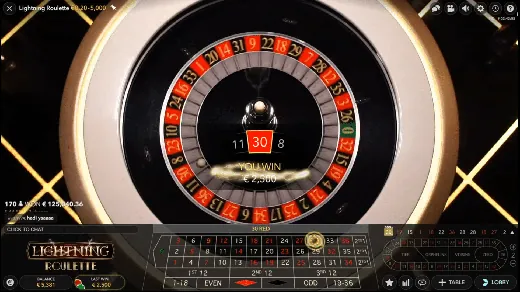
Live dealer rooms from Evolution and Ezugi are the heaviest part of the app, because they stream real video from a staffed studio. For a clean Lightning Roulette session you want a steady connection of at least 5 Mbps and a screen that handles 720p.
- Android 6.0 Marshmallow or newer
- 2 GB RAM minimum, 4 GB recommended for live tables
- Around 120 MB free storage after install
- Active internet, 5 Mbps or faster for live streaming
Basic information
| App name | BetStrike Casino |
| Category | Crypto casino and sportsbook |
| Platform | Android (APK sideload) |
| Minimum OS | Android 6.0 |
| File type | APK |
| Approx. size | Under 30 MB |
| Price | Free |
| License | Curaçao 8048/JAZ2018-041 |
| Default currency | USD |
| Welcome bonus | 100% up to $2,000 + 100 free spins |
| Game studios | 15+ including Evolution, Pragmatic Play, NetEnt |
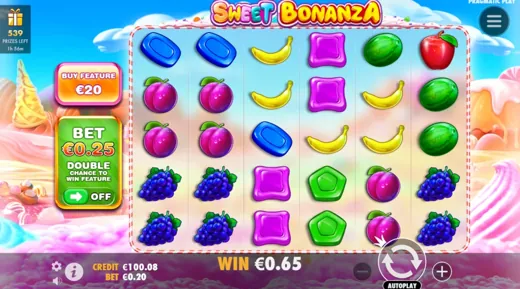
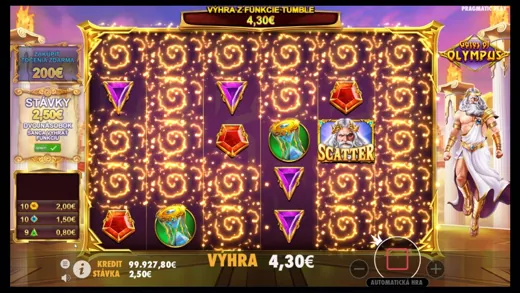
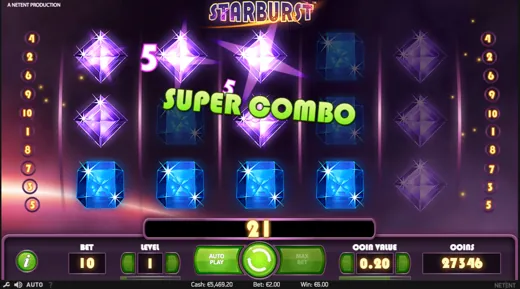
| Top slots | Sweet Bonanza, Gates of Olympus, Starburst |
| Live games | Lightning Roulette, blackjack, baccarat |
| Sportsbook | Pre-match, in-play, esports |
| Crypto payments | USDT, Bitcoin, Ethereum, Litecoin, TRON, Dogecoin |
| Card payments | Visa, Mastercard |
| E-wallets | Skrill, Paysafecard |
| Support | Live chat, email, phone, Telegram |
| Interface language | English |
| Age limit | 18+ |

| Spec | Minimum | Recommended |
|---|---|---|
| Android version | 6.0 Marshmallow | 10 or newer |
| RAM | 2 GB | 4 GB or more |
| Free storage | 120 MB | 500 MB |
| Connection | 3 Mbps | 5 Mbps or more |
| Screen output | 720p | 1080p |
Step-by-step APK download
Pull the installer straight from the official BetStrike site
The app is not on the public app store, so you download the APK from betstrike-casino.com directly. That is normal for crypto casinos and keeps the build current without store review delays. Start from the official domain only, since third party mirrors can serve repackaged copies.
Open the site on mobile
Visit betstrike-casino.com in Chrome or any mobile browser and tap the Android icon in the footer or the app banner.
Tap Download APK
Choose the Android download. The betstrike.apk file, under 30 MB, starts saving to your Downloads folder.
Confirm the save
If the browser warns that this file type can harm your device, tap OK or Download anyway. The file is the signed BetStrike build.
Open Downloads
Pull down the notification shade and tap the finished file, or find it in your Files app under Downloads.
Sign in or register
Launch the app, create your account or log in, and the 100% welcome bonus is waiting in the cashier.
STRIKE2000Unknown sources permission
Allow your browser to install an app from outside the store
Android blocks installs from outside its store until you grant permission. On modern versions this is a per-app switch tied to the browser you downloaded with, not a system-wide door left open. You can turn it back off the moment BetStrike finishes installing.
Tap the APK
When you open betstrike.apk, Android shows a prompt that your browser is not allowed to install unknown apps.
Open Settings from the prompt
Tap Settings on that prompt. It takes you straight to the Install unknown apps screen for your browser.
Toggle the permission
Switch Allow from this source to on. Older devices instead use Settings, Security, Unknown sources.
Return and install
Press back. The installer reappears, tap Install, then Open once it finishes.
Installation troubleshooting
Quick fixes for the most common APK install errors
Most failed installs trace back to three things: a half-finished download, a permission that was never granted, or an older copy of the app still on the phone. Run through the table below before you reinstall.
| Problem | Likely cause | Fix |
|---|---|---|
| App not installed | A previous version is present | Uninstall the old BetStrike app, then install the fresh APK |
| Parse error | The download stopped midway | Delete the file and download it again on a stable connection |
| Install blocked | Unknown apps permission is off | Enable Allow from this source for your browser, then retry |
| No space message | Storage is full | Free at least 120 MB and clear the Downloads cache |
| Crashes on launch | Android version below 6.0 | Update the OS or use the mobile site instead |
| Play Protect warning | Google scans sideloaded files | Tap Install anyway, the build is signed by BetStrike |
Android version features
What you actually get once BetStrike is on your home screen
The Android build is the full casino, not a trimmed teaser. The same lobby, cashier and sportsbook you would see on desktop, reflowed for a touchscreen. Crypto deposits clear inside the app, so a USDT or Bitcoin top-up takes seconds and you are back at the reels.
Thousands of slots
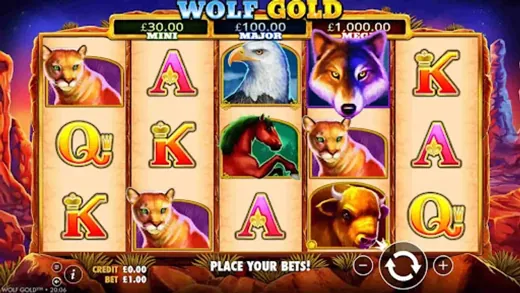
Sweet Bonanza, Gates of Olympus, Wolf Gold and The Dog House from Pragmatic Play, BGaming, Nolimit City and more.
Live casino
Evolution and Ezugi stream Lightning Roulette, blackjack and baccarat in HD, fully playable on mobile data.
Sportsbook and esports
Pre-match and in-play betting plus esports markets sit one tab away from the casino lobby.
Crypto cashier
USDT, Bitcoin, Ethereum, Litecoin, TRON and Dogecoin alongside Visa, Mastercard and Skrill.
Push alerts
Opt in for free spin drops, tournament reminders and cashback notices without opening the app.
Quick login
Fingerprint and PIN login keep your session private on a shared phone.
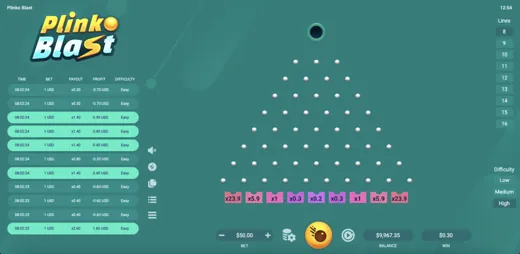
Discover these games

Rating at a glance
Pros
- Full casino, live and sportsbook in one APK
- Crypto deposits and withdrawals built into the cashier
- Light on storage, runs on Android 6.0
- 100% welcome bonus up to $2,000 with 100 free spins
Cons
- Not listed on the public app store
- Live chat can slow down at weekend peaks
- Interface leans minimal, power users may want more filters
Comments from players
I install every casino app I can find and most feel like a shrunk website. BetStrike did not. Running in under two minutes on my old Pixel 4a, and a good run on Gates of Olympus my first weekend cashed out in Litecoin before my coffee went cold.
Clean app, does what it says. I spin Sweet Bonanza on my commute and the layout actually fits a phone. Only gripe is the lobby could use better provider filters.
The Lightning Roulette stream is why I keep the app. Crisp video even on mobile data, no buffering mid-spin. Rarer than it should be.
USDT in, USDT out, no drama. App is fast. Happy.
Came from a bigger brand whose app ate half my storage and still lagged on live tables. BetStrike is a fraction of the size and quicker. Bonus terms were easier to read too.
Having the sportsbook and casino in one app is handy. Built a small accumulator at the pub, lost the last leg, but cash out worked when I needed it. Telegram support replied in about ten minutes.
First casino app I have used and the guide on their site walked me through the unknown sources step. No confusion at all.
Solid app. Free spin notifications are useful, not spammy. Chat did take a while on a Saturday night, that is my one note.
Plinko on the phone is dangerously fun. Loads instantly, never crashed once.
Most casino apps get deleted within a week. This one stuck. Same library as desktop, fingerprint login, and Evolution tables that do not stutter. Lightest app on my phone that still has everything.
FAQ
Straight answers about the BetStrike Android app